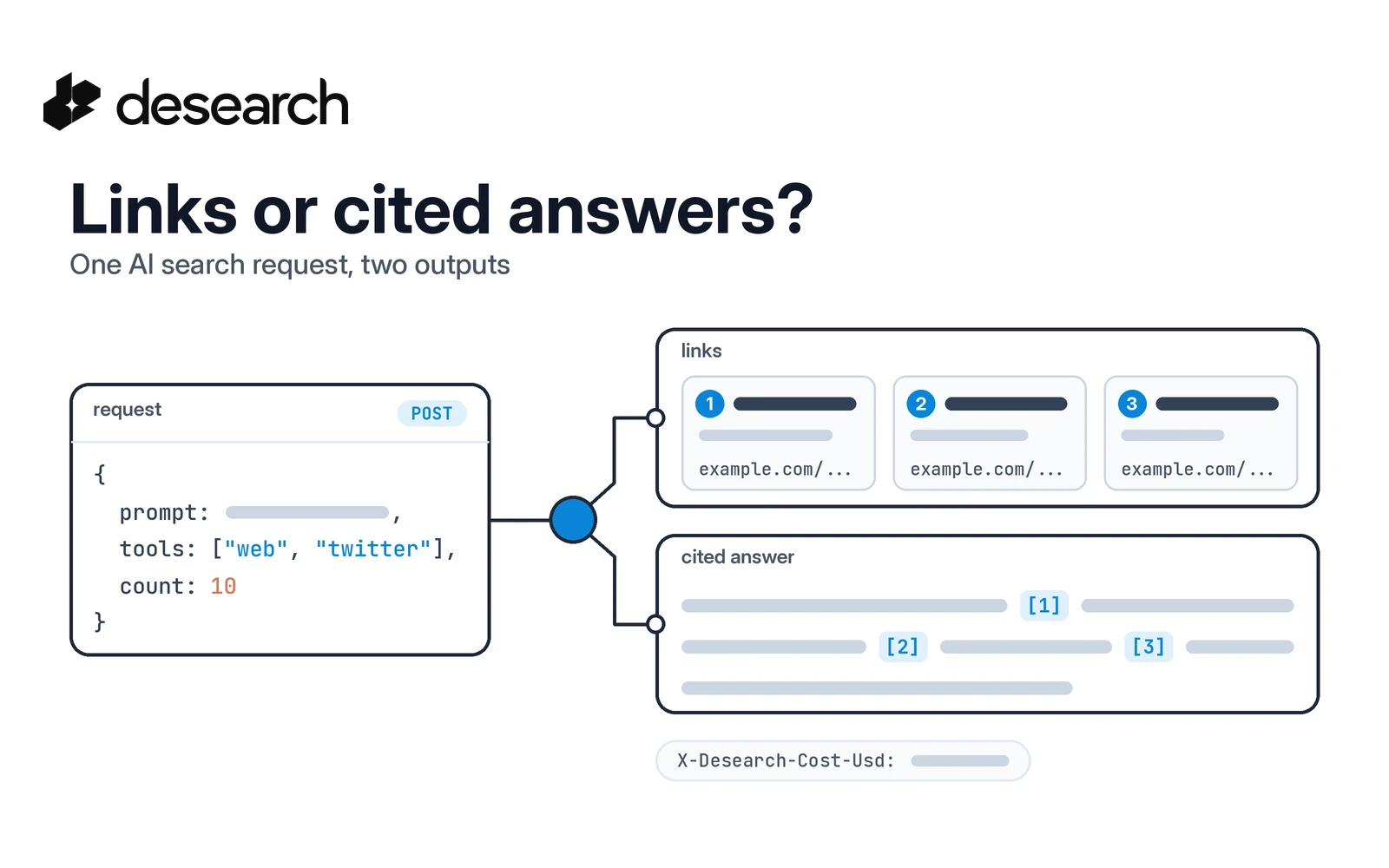
An agent that answers from search needs two things from every call: evidence it can show, and a clear record of what the call cost. The Desearch AI search API gives you both from a single request. You decide which sources to search, whether you want raw links or links plus a written summary, how many results to pull per source, and whether the response streams. The cost of the call comes back in response headers.
This guide walks through one request field by field, using the live POST /desearch/ai/search endpoint. If you want the product overview first, start at the AI Search API page. If you are still deciding between AI search and a plain web search API, read AI search vs web search APIs.
The request at a glance
Every call goes to the same place:
- Base URL:
https://api.desearch.ai - Endpoint:
POST /desearch/ai/search - Auth:
Authorization: $DESEARCH_API_KEY(the raw key from Desearch Console)
Here is a complete request:
curl --request POST 'https://api.desearch.ai/desearch/ai/search' \
  --header "Authorization: $DESEARCH_API_KEY" \
  --header 'Content-Type: application/json' \
  --data '{
    "prompt": "What changed in open source agent frameworks this month?",
    "tools": ["web", "twitter"],
    "result_type": "LINKS_WITH_FINAL_SUMMARY",
    "count": 10,
    "streaming": false
  }'
Five fields shape the result:
| Field | Required | What it controls |
|---|---|---|
prompt | yes | The natural-language question |
tools | yes | Which sources to search: web, twitter, or both |
result_type | no | LINKS_WITH_FINAL_SUMMARY (default) or ONLY_LINKS |
count | no | Results per source, from 10 to 200 (default 10) |
streaming | no | false for one JSON body, true for a stream |
The sections below take them one at a time.
Step 1: Pick your sources with tools
The tools array accepts two values:
websearches the open web. Results come back in asearcharray.twittersearches public X posts. Results come back in atweetsarray.
Send one or both. When you send both, a single JSON body can hold search and tweets side by side, so your agent gets web pages and social discussion from one call.
Each search item carries the fields an agent needs to cite a source:
| Field | Use it for |
|---|---|
link | The citable URL |
title | A short label for the source |
snippet | Short evidence text |
highlights | A list of key passages |
Each tweets item includes an id, the post text, and its url.
One thing to plan for: a tool can finish with no hits. You may see an empty search or tweets array, or a warnings entry with code: tool_no_results. That is a valid outcome for that source. It does not mean the other source failed, so handle each array on its own.
Step 2: Choose links only or a cited answer
This is the main decision, and it depends on who reads the output.
LINKS_WITH_FINAL_SUMMARY is the default. You get the search and tweets arrays plus a completion field: a written summary of the sources. Use it when a person or a downstream model wants a readable answer with the evidence attached.
{
  "search": [
    {
      "title": "Example result",
      "link": "https://example.com/result",
      "snippet": "Short source text.",
      "highlights": ["Short source text."]
    }
  ],
  "tweets": [
    {
      "id": "0000000000000000000",
      "text": "Example post text.",
      "url": "https://x.com/example/status/0000000000000000000"
    }
  ],
  "completion": "Short summary of the sources."
}
ONLY_LINKS skips the summary. On this endpoint it returns a text/event-stream: events with "type": "search" and a content array of link objects (title, link, snippet, highlights). Use it when your own model will write the answer and you only want the sources.
If you want links only as one JSON object instead of a stream, use the dedicated links endpoints:
POST /desearch/ai/search/links/webreturns web links insearch_resultsPOST /desearch/ai/search/links/twitterreturns X posts inminer_tweets
A quick way to choose:
| You want | Use |
|---|---|
| A readable answer with sources | /desearch/ai/search with LINKS_WITH_FINAL_SUMMARY |
| Sources only, as a stream | /desearch/ai/search with ONLY_LINKS |
| Sources only, as one JSON body | /desearch/ai/search/links/web or /links/twitter |
Whichever path you pick, keep the source URLs next to any generated text. That way users can check the evidence, and your agent never presents a claim it cannot point to.
Step 3: Set count per source
count sets how many results to return per source, not in total. The minimum is 10, the maximum is 200, and the default is 10.
So "count": 10 with "tools": ["web", "twitter"] asks for up to 10 web results and up to 10 X posts.
Send count as a JSON number ("count": 10), not a string. Start at the default, check whether the evidence is enough for your task, and raise it only when the agent actually needs more coverage.
Step 4: Decide on streaming
"streaming": false returns one JSON body. That is the easiest shape to validate and the right default for agents that read the whole result before acting.
"streaming": true sends results as they arrive. It suits chat interfaces where a user is watching the answer form. The streaming guide covers the event format.
Two notes:
streamingis a REST body field. Do not pass it into the Python or JavaScript SDK methods; they do not take it.- A streamed response has no JSON object to carry cost fields, so cost comes only through headers (next step).
Step 5: Read what the call cost
Every successful billable response includes four headers:
| Header | Meaning |
|---|---|
X-Desearch-Cost-Usd | Request cost in USD |
X-Desearch-Usage-Count | Billable usage units |
X-Desearch-Service | Pricing service key for the request |
X-Desearch-Currency | Currency code |
When the body is a JSON object, it can also include cost_usd, usage_count, service, and currency. Streamed, plain text, and array responses expose cost only in headers, so make headers your default source.
Logging these values per call lets an agent track its own spend, stop when a task budget runs out, and report cost alongside the answer.
Put it together in Python
This example sends one request, collects citations from both sources, keeps the summary, and records the cost from headers. It uses plain HTTP so the fields map one to one to the docs.
import os
import requests

resp = requests.post(
    "https://api.desearch.ai/desearch/ai/search",
    headers={
        "Authorization": os.environ["DESEARCH_API_KEY"],
        "Content-Type": "application/json",
    },
    json={
        "prompt": "What changed in open source agent frameworks this month?",
        "tools": ["web", "twitter"],
        "result_type": "LINKS_WITH_FINAL_SUMMARY",
        "count": 10,
        "streaming": False,
    },
    timeout=60,
)
resp.raise_for_status()
data = resp.json()

citations = [
    {"title": r.get("title"), "url": r.get("link")}
    for r in data.get("search", [])
]
citations += [
    {"title": t.get("text", "")[:80], "url": t.get("url")}
    for t in data.get("tweets", [])
]

tool_result = {
    "answer": data.get("completion"),
    "citations": citations,
    "warnings": data.get("warnings", []),
    "cost_usd": resp.headers.get("X-Desearch-Cost-Usd"),
    "usage_count": resp.headers.get("X-Desearch-Usage-Count"),
}
print(tool_result)
Hand tool_result to your agent as the tool output. It has the answer, the sources behind it, any per-source warnings, and the cost of producing it.
For a broader look at wiring search into an agent loop, see how to build AI agents with search APIs.
What it costs
AI Search is billed by usage. The pricing page lists a reference rate of $0.40 per 1,000 items for AI Search. Confirm the current rate for your account in Console, and use the cost headers above to see what each request used.
New accounts can also earn free API credits to test requests before scaling up.
Frequently asked questions
Which sources can the AI search API use?
Two: web for the open web and twitter for public X posts. Send either one or both in the tools array.
Is count the total number of results?
No. count is per source. It accepts 10 to 200 and defaults to 10.
Does ONLY_LINKS return a JSON object?
On POST /desearch/ai/search, ONLY_LINKS returns a stream of search events. For links as one JSON object, call /desearch/ai/search/links/web or /desearch/ai/search/links/twitter.
How do I know what a request cost?
Read the X-Desearch-Cost-Usd and X-Desearch-Usage-Count headers on the response. JSON object bodies may also carry cost_usd and usage_count, but headers are present on every successful billable response, including streams.
Where do I get an API key?
Create an account in Desearch Console, open API Keys, and create a key. Keep it server-side and send it in the Authorization header.
Ready to try a request? Get a key in Console and start from the AI Search API reference.