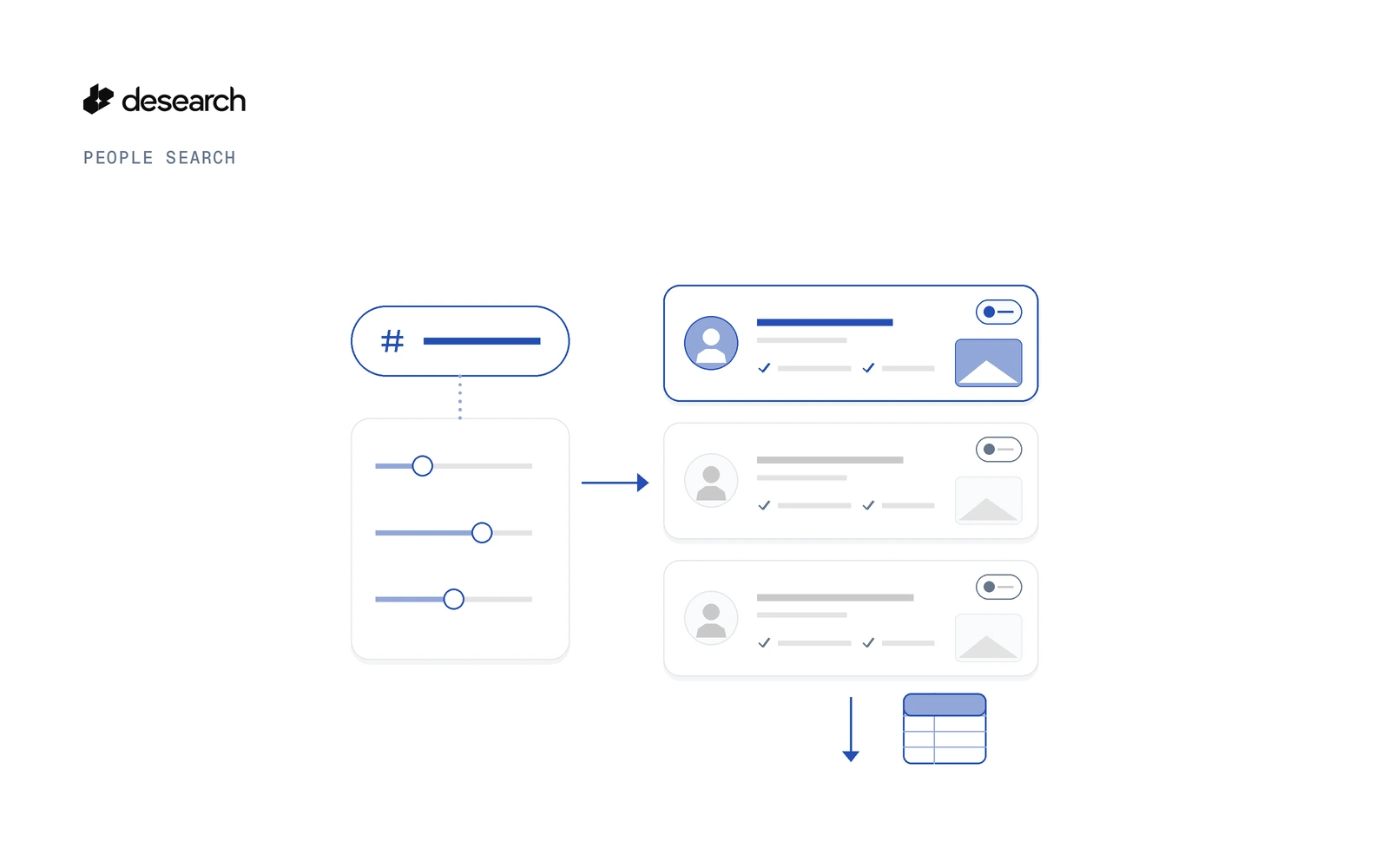
To search Twitter users by topic, send a plain-language description of the people you want to POST https://api.desearch.ai/desearch/people/search/x. X Profile Search runs in the background and returns a task_id at once. Poll the task, read profiles while the search runs, and export the shortlist as a CSV. Each profile comes with a fit score, the reasons it matched and the posts that prove it.
This is for finding X accounts you don't know yet. If you already have a handle and want its details, the X user lookup app is the right pattern. If you want posts rather than people, see how to get replies to an X post.
This guide walks through the request, the X filters, the task flow, CSV export and how to keep one clean list across many searches.
Why search Twitter users by topic, not by handle
Most Twitter user search starts from a name or handle you already have. That works when you know who you are looking for. It doesn't help when the job is "find developers who post about building AI agents" or "find people who review note-taking apps".
X Profile Search starts from the description instead. You say who you want, and it finds the accounts that match by what they post about. Three jobs, three different tools:
| Job | Starts from | Returns |
|---|---|---|
| User lookup | A handle you already have | That account's details |
| Post search | Keywords | Posts |
| X Profile Search | A description of the people you want | Scored profiles |
What X Profile Search returns
X Profile Search scans recent X posts on your topic, groups them by author, and reads each author's bio, followers, website and location. You get profiles, not posts.
Every profile carries three things:
| What you get | Why it matters |
|---|---|
| Fit score (0 to 100) | Rank the shortlist and cut weak matches with min_score |
| Reasons it matched | See why this account fits your description |
| Proof posts | The posts behind the match, so you can check it yourself |
X Profile Search reads public data only. It doesn't reach DMs, private accounts or contact details beyond what a profile shows in public.
Where to use it
Pick the job, then describe the people in your own words. These sample queries are starting points, not fixed formats:
| Use case | Sample query |
|---|---|
| DevRel and community outreach | "Developers who post about building AI agents with search APIs" |
| Beta tester recruiting | "People who complain about slow note-taking apps and try new productivity tools" |
| Expert and source finding | "Researchers who post about climate data and satellite imagery" |
| Founder and builder scouting | "Indie hackers building in public who share their MRR" |
| Hiring signals | "Backend engineers who post about Rust in production" |
The same description style works on other networks too. For the full picture across X, YouTube, LinkedIn and TikTok, see find people by description with People Search. For creators on video platforms, see find creators and influencers by niche. If you'd rather not write code, Find Influencers on X with No Code is the no-code path.
Step 1: Describe who you want in plain language
Get an API key in Console
Create a key in Desearch Console. New accounts get $5 in API credits after attaching a card in Console, then pay as they go.
Request fields
| Field | Required | What it does |
|---|---|---|
query | Yes | Who you are looking for, in plain language |
count | No | How many profiles to find. Default 25, min 5, max 200 |
min_score | No | Keep only profiles at or above this fit score (0 to 100) |
exclude | No | Handles to leave out, up to 1,000 |
metadata | No | Your own labels for the search, at most 10 keys |
filters | No | X filters (Step 2) |
Start a search with cURL
curl --request POST 'https://api.desearch.ai/desearch/people/search/x' \
  --header "Authorization: $DESEARCH_API_KEY" \
  --header 'Content-Type: application/json' \
  --data '{
    "query": "Developers who post about building AI agents with search APIs",
    "count": 25,
    "min_score": 60
  }'
The response includes a task_id. You use it for every call that follows. The full schema is in the X Profile Search reference.
Step 2: Narrow with X filters
filters takes X-only fields:
| Filter | What it does |
|---|---|
min_followers / max_followers | Keep accounts inside a follower range |
verified_only | Keep only verified or X Premium accounts |
countries | Prefer accounts from the countries you list |
keywords | Words a match should include |
exclude_keywords | Words that rule a match out |
Add exclude at the top level for handles you already contacted, so a second search doesn't hand you the same people.
This request combines them. It is written from the API schema, not a captured run. Swap in your own values, and check the X Profile Search reference for the exact format each filter accepts:
curl --request POST 'https://api.desearch.ai/desearch/people/search/x' \
  --header "Authorization: $DESEARCH_API_KEY" \
  --header 'Content-Type: application/json' \
  --data '{
    "query": "Developers who post about building AI agents with search APIs",
    "count": 50,
    "min_score": 60,
    "exclude": ["example_handle"],
    "metadata": {"campaign": "devrel-outreach"},
    "filters": {
      "min_followers": 500,
      "max_followers": 50000,
      "verified_only": false,
      "countries": ["US"],
      "keywords": ["agents"],
      "exclude_keywords": ["giveaway"]
    }
  }'
These are X filters only. Other People Search networks have their own filter sets, covered in the People Search guide.
Step 3: Poll the task and read results while it runs
A people search takes longer than one request, so it runs as a background task:
- Start the search. The POST returns a
task_idat once. - Poll the task.
GET /desearch/people/tasks/{task_id}shows where the search is. - Read results while it runs.
GET /desearch/people/tasks/{task_id}/resultsreturns profiles as they arrive. You don't have to wait for the end. - Pause, resume or cancel the task at any time.
# Check the task
curl 'https://api.desearch.ai/desearch/people/tasks/TASK_ID' \
  --header "Authorization: $DESEARCH_API_KEY"

# Read the profiles found so far
curl 'https://api.desearch.ai/desearch/people/tasks/TASK_ID/results' \
  --header "Authorization: $DESEARCH_API_KEY"
The same flow in Python
This version uses plain requests and is written from the routes above. It is not a captured run. It polls until the task reports a completion_reason, with a cap on the number of checks:
import os
import time
import requests

BASE = "https://api.desearch.ai/desearch/people"
HEADERS = {"Authorization": os.environ["DESEARCH_API_KEY"]}

resp = requests.post(
    f"{BASE}/search/x",
    headers=HEADERS,
    json={
        "query": "Developers who post about building AI agents with search APIs",
        "count": 25,
        "min_score": 60,
    },
    timeout=60,
)
resp.raise_for_status()
task_id = resp.json()["task_id"]
print("task:", task_id)

for _ in range(60):
    task = requests.get(f"{BASE}/tasks/{task_id}", headers=HEADERS, timeout=60)
    task.raise_for_status()
    info = task.json()
    if info.get("completion_reason"):
        break
    time.sleep(10)

print("completion_reason:", info.get("completion_reason"))
print("coverage_limited:", info.get("coverage_limited"))
print("warnings:", info.get("warnings"))

results = requests.get(f"{BASE}/tasks/{task_id}/results", headers=HEADERS, timeout=60)
results.raise_for_status()
print(results.json())
You can also call the results route inside the loop to work with profiles before the search ends. The task and result fields are listed in the People Search guide.
If you use an SDK, JavaScript needs desearch-js 1.7.0 or later. Python needs desearch-py 1.5.0 or later, which installs from GitHub until PyPI catches up.
Step 4: Export to CSV and keep one list across searches
To move a shortlist into a sheet or CRM, download the task as a CSV:
curl 'https://api.desearch.ai/desearch/people/tasks/TASK_ID/export?format=csv' \
  --header "Authorization: $DESEARCH_API_KEY" \
  --output x-shortlist.csv
Results stay available for 30 days.
If you run many searches, the same person can turn up more than once. GET /desearch/people/profiles lists everyone your searches found on X, with one entry per person. Each entry has found_by, so you can see which searches found that person. You can search and filter the list, and sort it by score, recency or audience.
GET /desearch/people/profiles/export downloads the whole list as CSV or JSON Lines, up to 10,000 people. The export is not billed. That gives you one deduplicated X list, however many searches you ran.
How to read coverage_limited and warnings
X Profile Search works from recent X posts on your topic. It doesn't promise every matching account on X. When a task ends, check three fields:
| Field | What it tells you |
|---|---|
completion_reason | Why the search stopped |
coverage_limited | A budget stopped the search before it reached count |
warnings | Anything else worth knowing about the run |
If coverage_limited is set or you got fewer profiles than you asked for, try a broader description, lower min_score, or relax the filters. Then run the search again with the handles you already have in exclude, so you only get new people.
Next step: read one account's posts
Once you have a shortlist, you may want to read more from one account before you reach out. GET /twitter/user/posts returns posts for a given X account. See the GET /twitter/user/posts reference. For everything else Desearch does with X data, see the Twitter API page.
Pricing
X Profile Search: $25.00 / 1000 profiles. Confirm current rates in Console.
When a task starts, count profiles are reserved at the route price, shown as cost_usd. At the end you pay only for the qualified profiles delivered, and the rest is returned automatically. A search that delivers no profiles costs nothing. See the pricing page for details.
FAQ
How do I search Twitter users by topic?
Send a plain-language query to POST https://api.desearch.ai/desearch/people/search/x. It returns a task_id. Poll the task and read the profiles with GET /desearch/people/tasks/{task_id}/results.
How is this different from a Twitter user search by handle?
Lookup starts from a handle you already have. X Profile Search starts from a description, so you can find Twitter users you don't know yet.
What does each result include?
A profile with a fit score from 0 to 100, the reasons it matched and the posts that prove it. The search reads bio, followers, website and location.
Can I filter by followers, country or verified status?
Yes. X filters are min_followers, max_followers, verified_only, countries, keywords and exclude_keywords.
How do I avoid finding the same people again?
Pass handles you already have in exclude, up to 1,000 per search. To see everyone across searches in one place, use GET /desearch/people/profiles.
Does it find every matching account on X?
No. It works from recent X posts on your topic. Check coverage_limited and warnings when a task ends.
Does it return private data?
No. X Profile Search uses public data only.
How long are results kept?
30 days.
What does it cost?
X Profile Search: $25.00 / 1000 profiles. There is no per-search minimum: you pay only for qualified profiles delivered. Confirm current rates in Console.
Get started
- Create an API key in Console.
- Run the cURL request in Step 1 with your own description.
- Follow the People Search guide and the X Profile Search reference for the full task flow, filters and result fields.
- For the other networks, read find people by description with People Search and find creators and influencers by niche.
Describe the X accounts you want and build your first shortlist. New accounts get $5 in API credits after attaching a card in Console, then pay as they go.
Reference: X Profile Search reference